IT for accounting and tax offices, with the security plan's technical parts carried out
The second sign-in step, encryption and backups an accounting or tax office is asked for, carried out and written up; the security plan and its owner stay yours.
Every plan; written up on Managed + Security
Your duties, supported, never discharged.
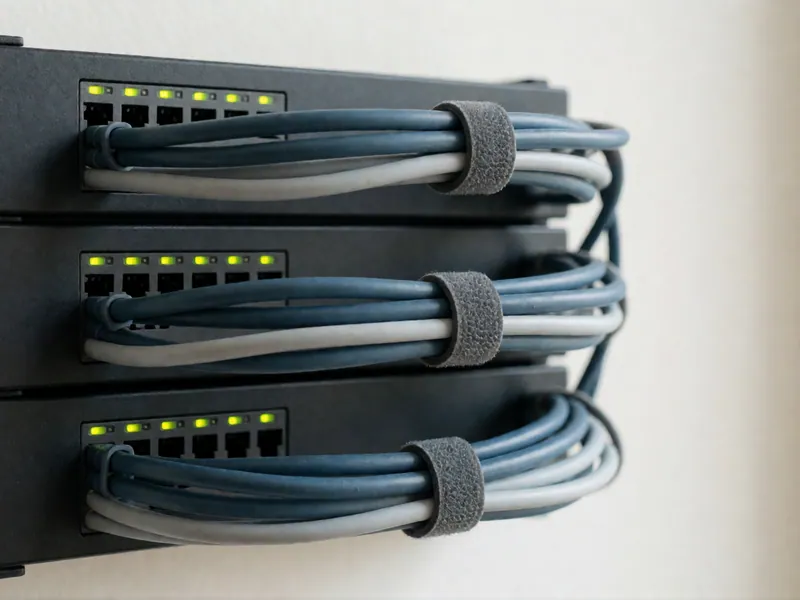
AI-generated illustration. Not a real office or business.
Whose duties these are
The FTC treats tax preparers as financial institutions: a written security plan, a second sign-in step, encryption and oversight of providers like us by contract. We can carry out and document the technical parts; the plan and the person in charge of it are yours.
The plan the note describes is a document the office writes and owns, with a person in charge of it. Much of what goes in it is technical, though, and that part is work an IT company can carry out and record.
The plan is yours.
The technical parts, documented.
The technical parts, done and written down
The second sign-in step goes on every account that reaches client information: the e-mail, the shared files, the remote access, and the portals of the tax software and the banks wherever their makers allow it.
Encryption covers the disks of the office's computers, above all the laptops that go home in the busy months, and gives clients a way to send and receive documents that is not an ordinary attachment. Client documents arrive by e-mail with Social Security numbers in them all the time; a client portal or encrypted e-mail is the better route, and not keeping copies in mailboxes reduces what a stolen mailbox would expose.
Old computers are wiped before they leave the office, and the record says which ones and when. Every step is written down as it is done: what was turned on, for whom, on which date, and when the backups were last brought back. That write-up is what the plan points to. The plan, the decisions in it and the person in charge of it stay the office's.
Earlier years' returns and workpapers are backed up with everything else, and the restore test now and then picks a file from the archive, because an old return is often exactly what a client asks for.
AI-generated illustration. Not a real office or business.
Yaretzi Bloom-Adeyinka
Onboarding and projects
Runs the first weeks with a new office, and every move and migration.
Yaretzi writes down what an office has before anything is changed.
Yaretzi tests bringing files back before she calls a backup working.
The picture is a still of this person's desk or tools, not a portrait.
Seasons, people and providers
Changes that touch everybody, such as switching on the second sign-in step, are planned for the quieter part of the year and not for the weeks before a filing deadline. Nobody wants to learn a new sign-in on the busiest day of the season.
Many tax offices take on people for the season. Each one gets an account of their own from the new-starter checklist, never a shared login passed down from last year's helper, and each account is closed from the leaver checklist when the season ends. A list of who had access, and when, is part of what the plan points to.
The note above asks the office to oversee its providers by contract, and that reaches further than its IT company: the tax software, the cloud storage, the payroll service and anyone else who holds client information. We can help list them and say what each one holds; the contracts and the judgment about them are the office's.
We prepare tax returns. Can you be our Qualified Individual?
No: that is a role the FTC's rule names, and a demonstration company cannot fill it.
16 CFR 314.4 (opens the source in a new tab)A financial institution keeps a written information security program under a Qualified Individual, encrypts customer information, implements multi-factor authentication, oversees its service providers by contract, and notifies the FTC of an event involving at least five hundred consumers within thirty days of discovery.
New York's own data security law
New York's SHIELD Act puts the duty to protect customers' and employees' private information on the business that holds it, scaled to its size, and tells it to choose IT providers that can protect it and to require that by contract. A provider that keeps the information has its own duty: to tell the business about a breach immediately, and within thirty days at the latest.
Every plan looks after an accounting or tax office's computers. The second sign-in step, the tested backups and the network described on this page are the work of Managed and Managed + Security; e-mail filtering and training are part of Managed + Security, and so is writing up the technical facts, in the plan's own words:
The technical facts your sector's own documents ask for, written up for you: the documents and the decisions stay yours.
What the IT health check gives back for a small tax office taking on people, computed from its answers.
A worked example: an IT health check summary
A small tax office taking on people Three people at a tax preparation office in Woodside
The ten answers behind it
Before anything else: is something wrong right now?
No. This is a check-up
How many people in the business use a computer for work?
One to four
What kind of office is it?
An accounting, bookkeeping or tax office
Where is the office?
Western Queens: Woodside, Sunnyside, Jackson Heights, Astoria, Long Island City or nearby
Where do the work e-mail and shared files live?
Google Workspace
If a computer stopped working tonight, would its work also be somewhere else?
Copied somewhere else automatically, and we have actually got files back from that copy
When someone signs in to work e-mail on a new phone or computer, is there a second step, such as a code or a prompt on a phone?
Yes, for everyone
Who makes sure the work computers get their updates?
Some of the computers are very old
When something breaks, who do people call?
The owner
What is coming up, or bothering people most?
We're taking on several people this year
Nobody has looked at your computers, so the check found nothing. It sorted your answers into a few things worth talking about.
Areas to talk about
In the order your own answers put them. Each is a subject for a first conversation, not a finding.
The computers and their updates
Updates that happen on a schedule and get checked mean nobody has to remember them, and a computer its maker no longer updates is the one to replace first.
What we would look at first
Which computers are behind on their updates, and why.
Which ones their makers no longer update.
What happens when one is lost or stolen.
Who to call
One number to call, answered by people who already know your setup, takes the computers off whoever has been looking after them on top of a day job.
What we would look at first
Who people call now, and what they call about most.
Which passwords and accounts only one person knows.
What a month on a plan would cover, and what it would not.
A move, or new people
A move or several new people is easiest when it is planned early: an internet order can take weeks, and a new starter's accounts should be ready on the first morning.
What we would look at first
The internet order and the cabling, before the walls close.
A checklist for each new starter and each leaver.
Which computers to buy, and when.
The plans, at our published prices, for your headcount
A month, from the bottom of your headcount band to the top. Each plan is two lines: the work, which is not taxed, and the protection, which is.
Help Desk$95 a person a month
The work$400
The protection$75
Sales tax on the protection, 8.875%$6.66
A month, with tax$481.66
Reaches the areas above: The computers and their updates; Who to call.
Managed$155 a person a month
The work$675
The protection$100
Sales tax on the protection, 8.875%$8.88
A month, with tax$783.88
Reaches the areas above: The computers and their updates; Who to call; A move, or new people.
Managed + Security$195 a person a month
The work$700
The protection$275
Sales tax on the protection, 8.875%$24.41
A month, with tax$999.41
Reaches the areas above: The computers and their updates; Who to call; A move, or new people.
Onboarding, once, not taxed$750
Notes from your answers
Plans are for offices of five to seventy-five people. An office of fewer than five pays for five; an office larger than seventy-five needs a bigger company than this one.
Computers their makers no longer update are worth replacing first; we can say which ones, and you buy them where you like.
This summary is based only on your answers. It isn't an audit, a risk analysis or a compliance check, and it can't tell you whether you meet HIPAA, the SHIELD Act, Part 500 or the FTC Safeguards Rule.
Protective software on each computer, a second sign-in step for everyone, updates, short training and backups that are tested, as layers that reduce risk.
E-mail, calendars and shared files moved from a web host, an office server or personal accounts, priced in writing before it starts, in licenses your business owns.
The IT health check
Try the IT health check: ten questions about how your office works, the areas worth talking about and the plans at their published prices, in about two minutes. Sending it to us books nothing.

 AI-generated illustration. Not a real office or business.